🌼 Spring Sale — Up to 60% discount for hosting and domains
TutorialsWHM

Viewing parked domains in the WHM administration panel

Learn how to view parked domains in WHM. Follow the simple steps to access the information you need about your account.

Views 439Updated 1 anPublished on 16/08/2017by Florin Petran

Introduction

  • In this tutorial, we will show the method for viewing or listing parked domains in the WHM administration panel.

Requirements

  • A WHM account.

Steps

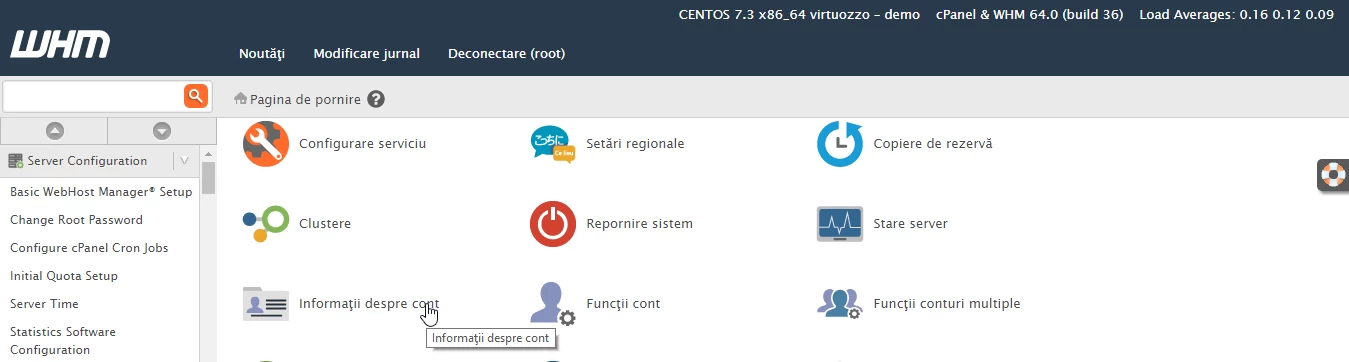
  • After logging into the WHM administration panel, we will click on Account Information.
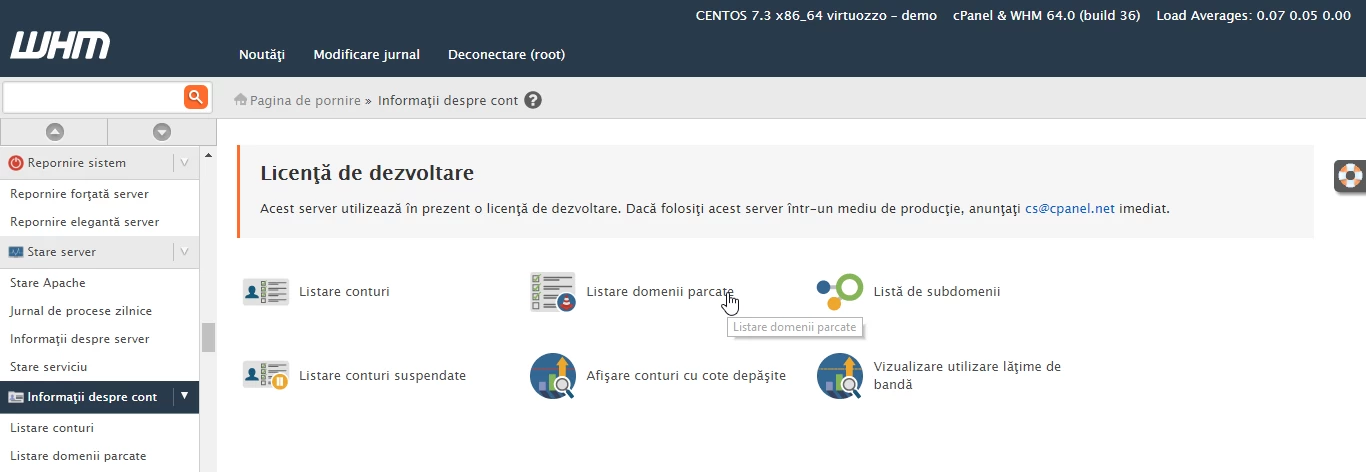
  • Then we will click on Parked Domain Listing.
  • On the next page, the parked domains are displayed, in our case the parked domain used as an example is hostico.net.


Similar Articles

Changing the PHP version in cPanel on VPS hosting packages via MultiPHP ManagerTutorials /cPanel

In this article, we will present the necessary steps to change the PHP version in a cPanel account using MultiPHP Manager.

46
by Sebastian Szlivka
Views 2541
Updated 1 year ago
Published on 18/10/2017
Installing an application using the cPanel Softaculous pluginTutorials /Softaculous

Find out how to install web applications using the cPanel Softaculous plugin. A step-by-step guide for installing WordPress and managing applications.

14
by Sebastian Szlivka
Views 4695
Updated 1 year ago
Published on 10/10/2017
File management with File Manager from the cPanel control panelTutorials /cPanel

Learn how to use the File Manager in cPanel to manage files and directories, including copy, move, delete, and edit operations.

4
by Alexandru Rogojan
Views 1834
Updated 1 year ago
Published on 30/05/2019
Adding an alias domain in the Plesk control panelTutorials /Plesk

In this tutorial, we will show you how to add an alias domain in the Plesk control panel.

4
by Florin Petran
Views 1038
Updated 11 months ago
Published on 29/05/2019
Domain Management in the Webuzo panelTutorials /Webuzo

Learn how to manage additional domains in the Webuzo panel. The tutorial covers the steps for editing, deleting, and adding domains and subdomains.

4
by Alexandru Rogojan
Views 931
Updated 11 months ago
Published on 14/09/2017