TutorialsWebuzo

Accessing a database through phpMyAdmin in the Webuzo panel

Access the database via phpMyAdmin in Webuzo: log in, enter the username and password, then select the desired database for viewing.

Views 526Updated 1 anPublished on 14/02/2020by Cătălin Adrian

Introduction

  • Webuzo has the PhpMyAdmin application pre-installed in the panel. This application allows us to graphically view the database.

Requirements

  • Access in the Webuzo administration panel.
  • The username and password for the database to which access is desired.

Steps to Follow

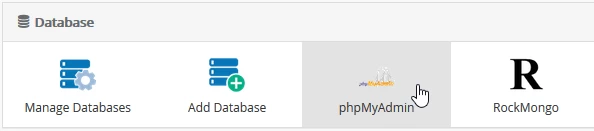
  • Once logged into the Webuzo admin panel, look for the "Database" section in the displayed window and select "phpMyAdmin" from there
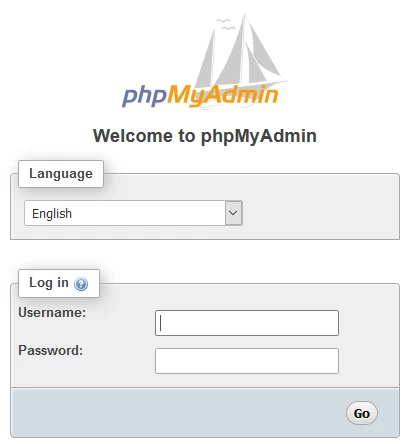
  • In the page that will open, a window will appear where the user and the password of the database they wish to access will be entered, after which the "Go" button is pressed.
  • The username and password are obtained when creating the database or from the site's configuration file associated with this database.
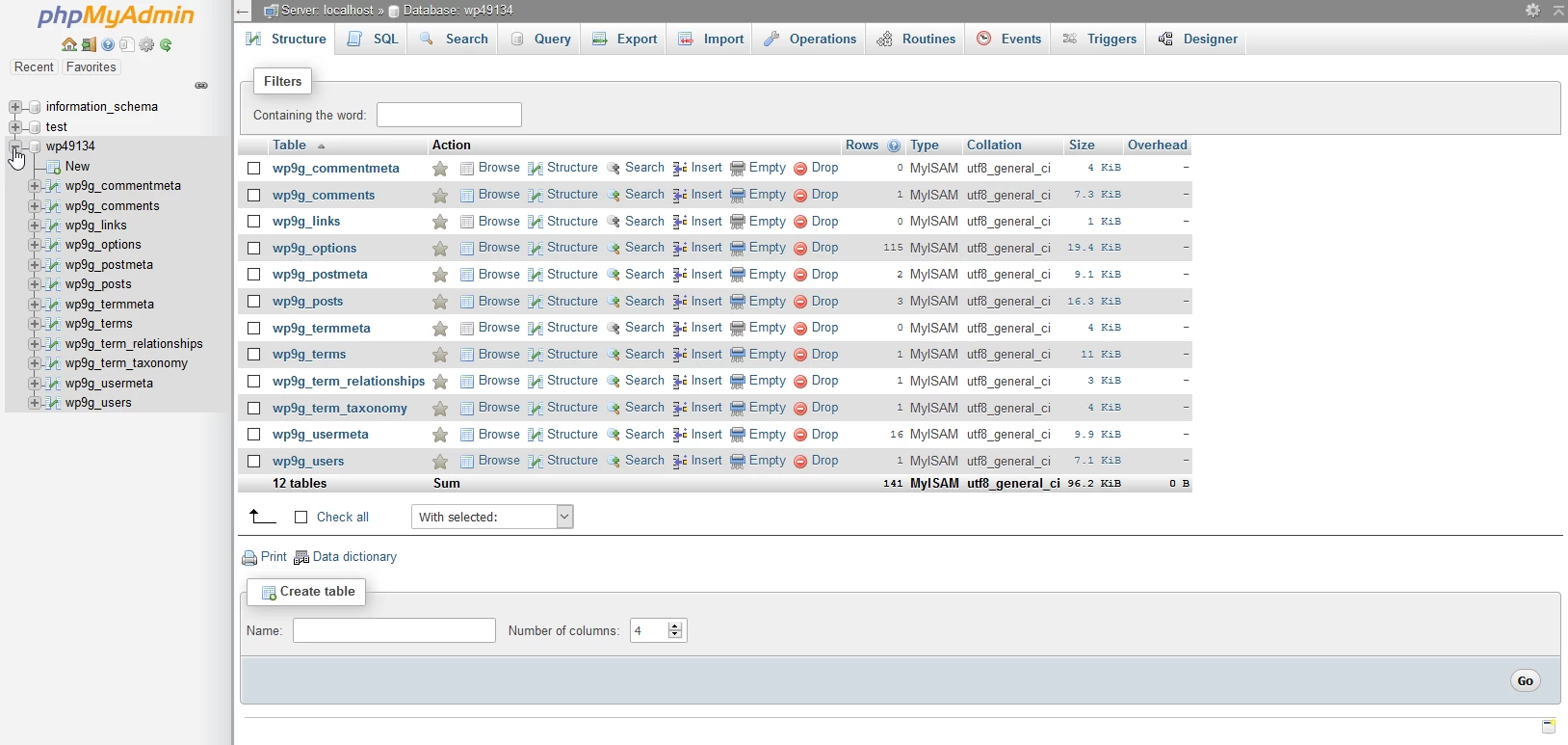
  • In the window that will be displayed, select the database to which the connection was made in order to view its structure
Similar Articles

DNS settings in the Webuzo panelTutorials /Webuzo

Learn how to edit and set DNS records in the Webuzo panel. Follow the steps to effectively manage domains and subdomains.

48
by Alexandru Rogojan
Views 2421
Updated 1 year ago
Published on 14/09/2017
SSH settings in WebuzoTutorials /Webuzo

In this tutorial, learn how to block SSH access on the Webuzo server by enabling the connection and configuring the necessary port.

20
by Alexandru Rogojan
Views 1156
Updated 1 year ago
Published on 12/06/2018
DNSSEC Activation ROTLDTutorials /Domains

Activate DNSSEC on your domains through the ROTLD panel, following the simple steps to configure the DS records and ensure online security.

16
by Sebastian Szlivka
Views 4483
Updated 1 year ago
Published on 08/03/2018
Creating a website in 3 simple stepsTutorials /Apps

Learn how to create a website in 3 simple steps, from choosing a theme to customizing the content, without advanced technical knowledge.

8
by Mark Dohi
Views 4146
Updated 1 year ago
Published on 03/09/2020
Loading a database in the Virtualmin administration panelTutorials /Dev

In this article, we will present the necessary steps to upload a database in the Virtualmin administration panel.

7
by Sebastian Szlivka
Views 978
Updated 1 year ago
Published on 29/01/2020