Tutorials • Commercial
Adding credit to the Hostico client account.
Find out how to add credit to your Hostico client account. Follow the simple steps to allocate the credit and pay the outstanding invoices.
Views 1153Updated 2 aniPublished on 24/09/2021by Mark D.
Introduction
- Presentation of the steps necessary for allocating credit to the customer account;
Requirements
- Hostico client account;
Steps
- After logging into the Hostico Client Area, in the Control Panel section, the box for managing a credit in the client account will be displayed;
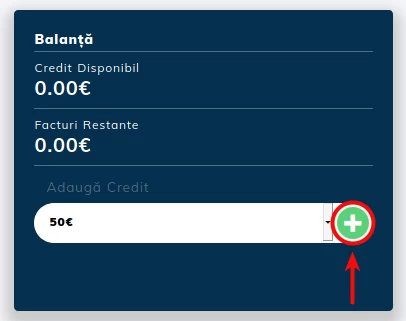
- After selecting the necessary amount from the presented options, a pro forma invoice will be issued which, upon payment, will display the credit in the client account;
Note
- This credit can be used to pay outstanding invoices from the account, if the balance can entirely cover the amount of the proforma invoice;
- If the proforma invoice you wish to pay is higher than the available credit in the account, please contact the sales department to identify an optimal solution;
- If the credit in the account is not fully utilized for activating/extending a service, upon request, the remaining amount can be refunded to the account from which the payment was made.